You've got the profiles. Maybe 100, maybe 300. They're sitting in a spreadsheet or a LinkedIn search tab and someone needs a shortlist by end of day.
The old way: open each profile, read it, decide, move to the next one. Repeat 200 times. Spend the entire afternoon on it. Deliver a shortlist that's basically "the ones I remember being decent."
The new way: 10 minutes. Scored, ranked, with written reasoning for every single candidate. Here's exactly how to do it.
Step 1: Get Clear on What You Want (2 Minutes)
Before you touch any tool, spend 2 minutes getting your criteria straight. This is the step most recruiters skip, and it's the reason most shortlists are inconsistent.
Ask yourself:
- What are the hard requirements? (Must-haves that are non-negotiable)
- What are the strong preferences? (Want-to-haves)
- What are the bonus points? (Nice-to-haves)
- Any red flags or dealbreakers?
Write this down in your own words. Don't overthink it. If you can explain the ideal candidate to a friend over coffee, you already have your criteria.
Pro tip: think in layers
Structure your criteria as must-have, want-to-have, and nice-to-have. This helps the AI weight things properly. "Must have 5+ years in backend engineering. Strongly prefer fintech experience. Bonus if they've led a team."
Step 2: Collect Your LinkedIn Profiles (1 Minute)
You need to get your candidate profiles into the tool. There are a few ways to do this:
Paste URLs directly
Copy LinkedIn profile URLs and paste them in. Works great when you have a list ready. One URL per line or comma-separated.
Upload a CSV
Got a spreadsheet from a sourcer or a client? Upload the CSV directly. The tool picks up the LinkedIn URL column automatically.
Browser extension
Use the Chrome extension to grab profiles from any LinkedIn page. Search results, project folders, whatever. One click.
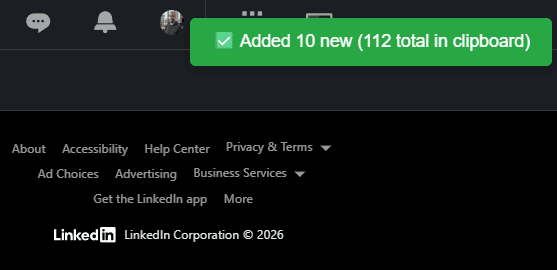
Once your profiles are in, the tool pulls live data from each LinkedIn profile. Work history, education, skills, everything. This takes about 1-2 minutes for 300 profiles and it runs in the background, so you can move to the next step while it works.
Step 3: Write Your Screening Prompt (2 Minutes)
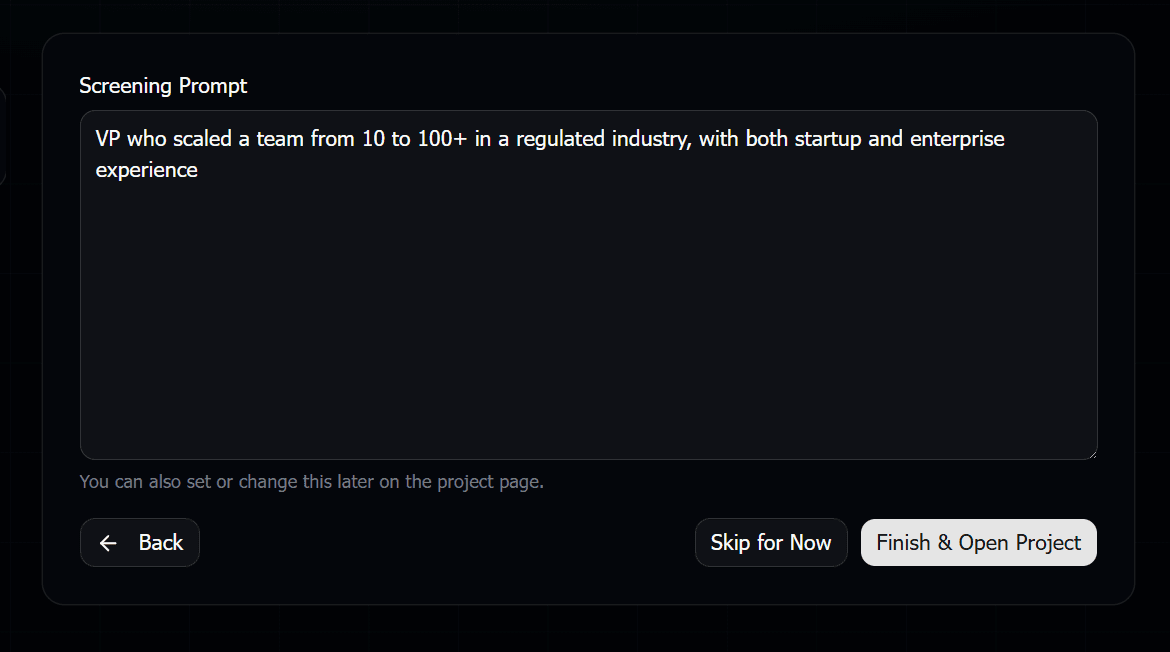
This is where it gets good. Remember those criteria you wrote down in step 1? Paste them in. Or just type them fresh. The key is to write like you're talking to a smart colleague, not like you're programming a search engine.
Here's a real example:
I need senior frontend engineers (5+ years) who know React deeply, not just surface-level. Strong preference for people at B2B SaaS companies. Bonus for design system experience or accessibility work. Red flag: anyone who's only done agency/freelance work with short projects. I want people who've built and maintained products long-term.
See how specific that is? You're not just saying "React developer." You're expressing what actually matters for this role. The AI uses all of this to evaluate each profile.
Tips for writing better prompts
After seeing thousands of screening prompts, here's what separates the ones that produce amazing results from the mediocre ones:
- Be specific about experience level."5+ years" is better than "experienced." "Has led a team of 3+" is better than "leadership experience."
- Mention company types."B2B SaaS startups" or "Fortune 500" or "YC-backed companies" gives the AI important context about what kind of environment you value.
- Include red flags.Telling the AI what you don't want is just as valuable. "Not looking for people who've been at the same company for 10+ years without progression."
- Express the nuance."Python required but Go is a strong bonus" tells the AI to weight Go experience positively without making it mandatory.
- Don't worry about format. Bullet points, paragraphs, stream of consciousness. It all works. The AI figures out the structure.
Step 4: Let It Run (3-5 Minutes)
Hit the screen button and go grab coffee. Seriously. For 300 profiles, the AI takes about 3-5 minutes to read every profile and produce scores. You don't need to babysit it.
What's happening behind the scenes: the AI is reading each candidate's full profile (not just keywords, the whole thing), evaluating them against your criteria, assigning a score from 0 to 100, and writing out its reasoning.
Every. Single. Profile. Gets the same thorough evaluation. Whether it's the first or the 300th.
Step 5: Review Your Shortlist (2-3 Minutes)
Now the fun part. You come back and your results are sorted by score. The top candidates are right there. Each one has:
- A score from 0 to 100
- A fit level (Perfect Fit, Strong Fit, Maybe, No Fit)
- Written reasoning explaining the score
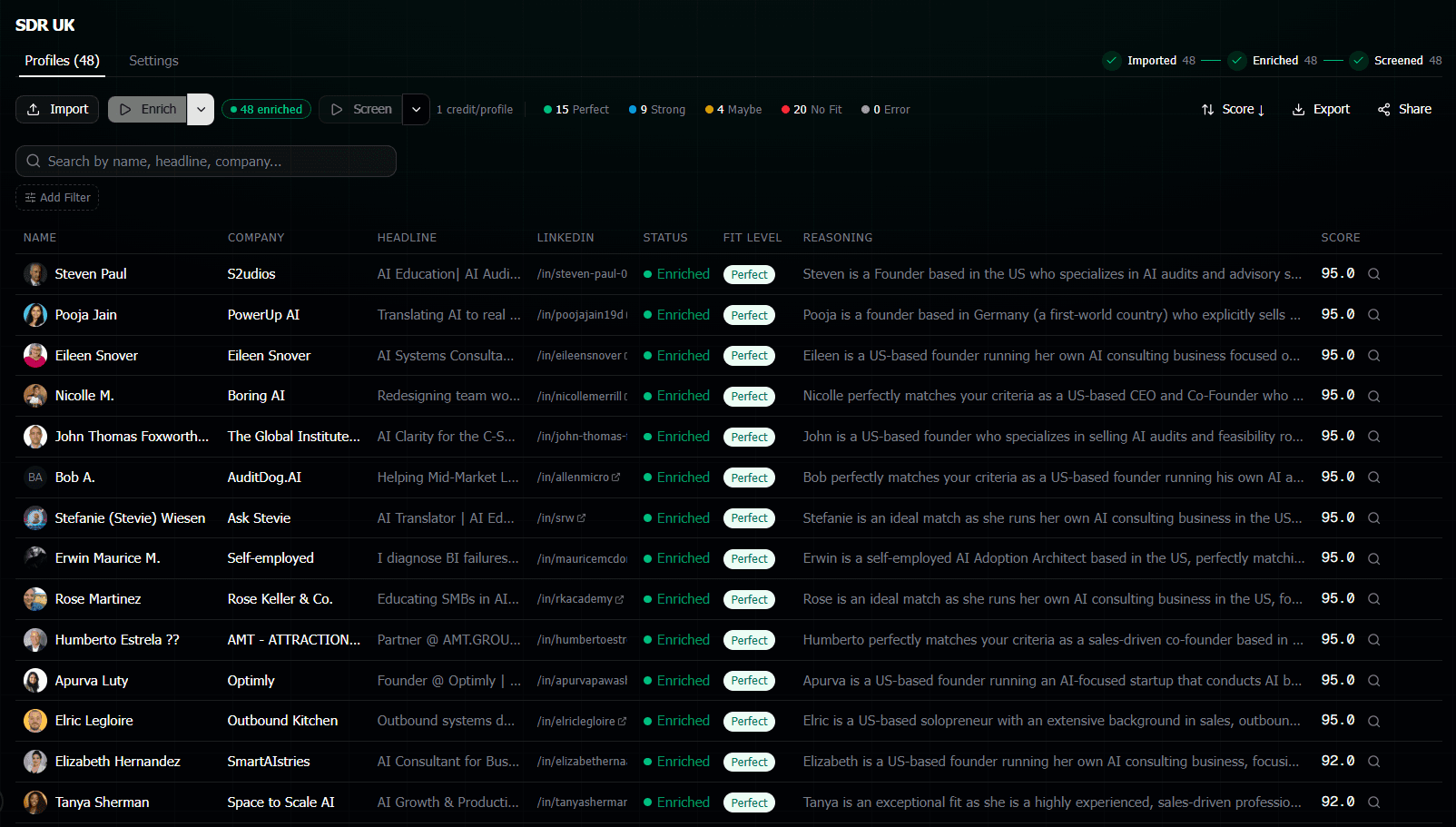
You don't need to read 300 profiles. You skim the reasoning for the top 20-30. The AI already did the reading for you. You're just validating its judgment.
If you see a score that feels off, read the reasoning. Maybe the AI caught something you wouldn't have noticed. Or maybe you disagree and want to include that person anyway. Either way, it takes 10 seconds per candidate instead of 3 minutes.
Bonus: Re-Screening for Different Roles
Here's something that makes this workflow even more powerful.
Once your profiles are enriched (the data is pulled), you can screen the same pool of candidates with completely different criteria. No need to re-import or re-enrich.
Got a hiring manager who changed their mind about what they want? New prompt, run it again. 3 minutes.
Same candidate pool, different role at a different client? New prompt, run it again. 3 minutes.
This is huge for agency recruiters who work with multiple clients. You build a pool once and screen it multiple ways. Each re-screen only costs screening credits (not enrichment credits), so it's cheap too.
Agency recruiter tip
Build a pool of 500 candidates in your niche. Screen them against each new client brief as it comes in. You go from "I need 2 days to find candidates" to "I have a shortlist ready in 5 minutes." Game changer for response time.
Sharing Your Shortlist
Once you've got your shortlist, you need to do something with it. The tool gives you a few options:
- Export to CSV if you need to put it in a tracker or ATS
- Share a link so your hiring manager or client can see the scored results directly
- Anonymous sharing that scrubs candidate names and company names for blind presentations to clients
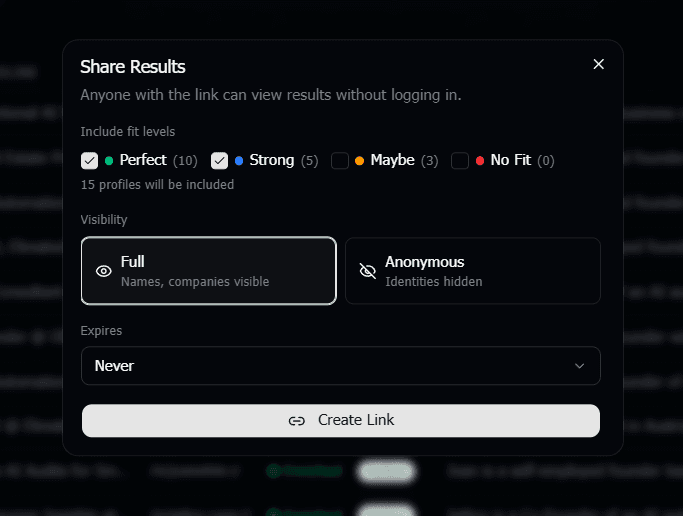
The anonymous sharing is especially clutch for agencies. Your client sees scores, reasoning, and fit levels, but can't identify the candidates or go around you. Blind candidate presentations, done right.
The Full Timeline
Let's add it all up:
Define criteria
2 minutes
Import profiles
1 minute
Write prompt
2 minutes
AI screens
3-5 minutes (grab coffee)
Review top candidates
2-3 minutes
Total: under 10 minutes. For 300 candidates. With a scored, ranked, documented shortlist you can share with anyone.
Compare that to the 10+ hours it takes to do this manually. And your manual shortlist doesn't come with written reasoning for every decision.
Frequently Asked Questions
What if my candidates aren't on LinkedIn?
Right now the tool works with LinkedIn profiles. If your candidates have LinkedIn profiles (and in 2026, almost everyone does), you're covered. You just need the LinkedIn URL for each person.
Can I screen fewer than 300 profiles?
Absolutely. The 300 number is just an example. Screen 10, 50, or 500. The process is exactly the same. Smaller batches finish even faster.
What happens if my criteria are wrong or too vague?
Just re-screen. Seriously. That's the beauty of it. If your first prompt was too broad, write a more specific one and run it again. It takes 3 minutes and only costs screening credits. Iterate until you like the results.
Can I combine AI screening with my own manual review?
That's exactly how most people use it. AI screening does the first pass and gives you a scored shortlist. Then you manually review the top 20-30 candidates, reading the AI's reasoning and making your own final call. It's a filter, not a replacement.
How do I get started?
Sign up at screener.verumio.com. You get 50 free credits which is enough to screen about 25 profiles. Try it on a real role with real candidates. You'll see the results in minutes.