LinkedIn Recruiter costs $10K to $15K per seat per year. And that number keeps going up. About 15% annually if you haven't noticed.
But here's the thing. Most recruiters I talk to use maybe 3 of its features regularly. They're paying for a Swiss Army knife when they really just need the scissors and the bottle opener.
So let's actually break down what you're paying for. Feature by feature. And figure out whether you need ALL of it or just some of it.
What Screener AI is (and isn't)
Before we get into this: Screener AI is a candidate screening tool. It does NOT source candidates, does NOT send InMails, does NOT replace LinkedIn's database. It evaluates profiles you already have and scores them with written reasoning. We're being upfront about this because this post is about what you actually need, not a sales pitch.
The 5 Things People Actually Use LinkedIn Recruiter For
I've talked to a lot of recruiters about their workflow. And it almost always comes down to the same five things. Let's go through each one honestly.
1. Advanced Candidate Search
What Recruiter gives you:Access to LinkedIn's full database of 1 billion+ profiles. Advanced Boolean, filters for years of experience, company size, open-to-work signals, location radius, skills, schools, the whole thing. Plus the Spotlight features that show you who's likely to respond.
Can you get it cheaper? Honestly? For search specifically, LinkedIn is still the king. Their data is unmatched because the users keep it updated themselves. No other platform has that.
Recruiter Lite ($170/mo) gives you decent search with fewer filters. Sales Navigator ($100/mo) gets you similar search power but with a sales frame. Tools like HireEZ and SeekOut have their own databases, but they're pulling from public data and the freshness varies.
The verdict:If advanced search across LinkedIn's full database is your primary need, there's no real alternative. LinkedIn wins here. But ask yourself: do you need the $10K version of search, or does the $170/mo version get you 80% of the way there?
2. InMails
What Recruiter gives you:150 InMails per month on Corporate. That's direct access to any candidate's inbox regardless of connection status. Plus InMail analytics, templates, and team sharing.
Can you get it cheaper?Recruiter Lite gives you 30 InMails/month. If you need more, you're either buying credits or going third-party for contact data (Apollo, Lusha, etc.) and reaching out via email instead.
But InMails still get better response rates than cold emails for most recruiting outreach. Candidates trust their LinkedIn inbox more than a random email from a recruiter.
The verdict:If you send 50+ InMails per month and they're a core part of your workflow, LinkedIn Recruiter is hard to replace here. This is their lock-in feature and they know it.
3. Pipeline and Project Management
What Recruiter gives you: Projects, saved searches, tags, notes, pipeline stages, team collaboration, candidate status tracking. Basically a mini-ATS built into the search tool.
Can you get it cheaper?Yes. Easily. Your ATS already does this. Greenhouse, Lever, Ashby, Workable, whatever you use. They all have pipeline management that's probably better than LinkedIn's because it's their whole job.
The only advantage of LinkedIn's pipeline is that it lives right next to the search. You don't have to switch tabs. But that convenience isn't worth $10K when your ATS handles the pipeline side perfectly fine.
The verdict:You don't need LinkedIn Recruiter for this. If pipeline management is a big reason you're paying for Corporate, you're overspending.
4. Screening and Evaluating Candidates
What Recruiter gives you:The ability to click into full profiles and manually read through them. Some basic "recommended" badges and match scores. Skill assessments visibility.
Can you get it cheaper?This is where the game has completely changed. LinkedIn Recruiter's screening is still manual. You read each profile yourself. With 200 candidates, that's 5-7 hours of your day gone.
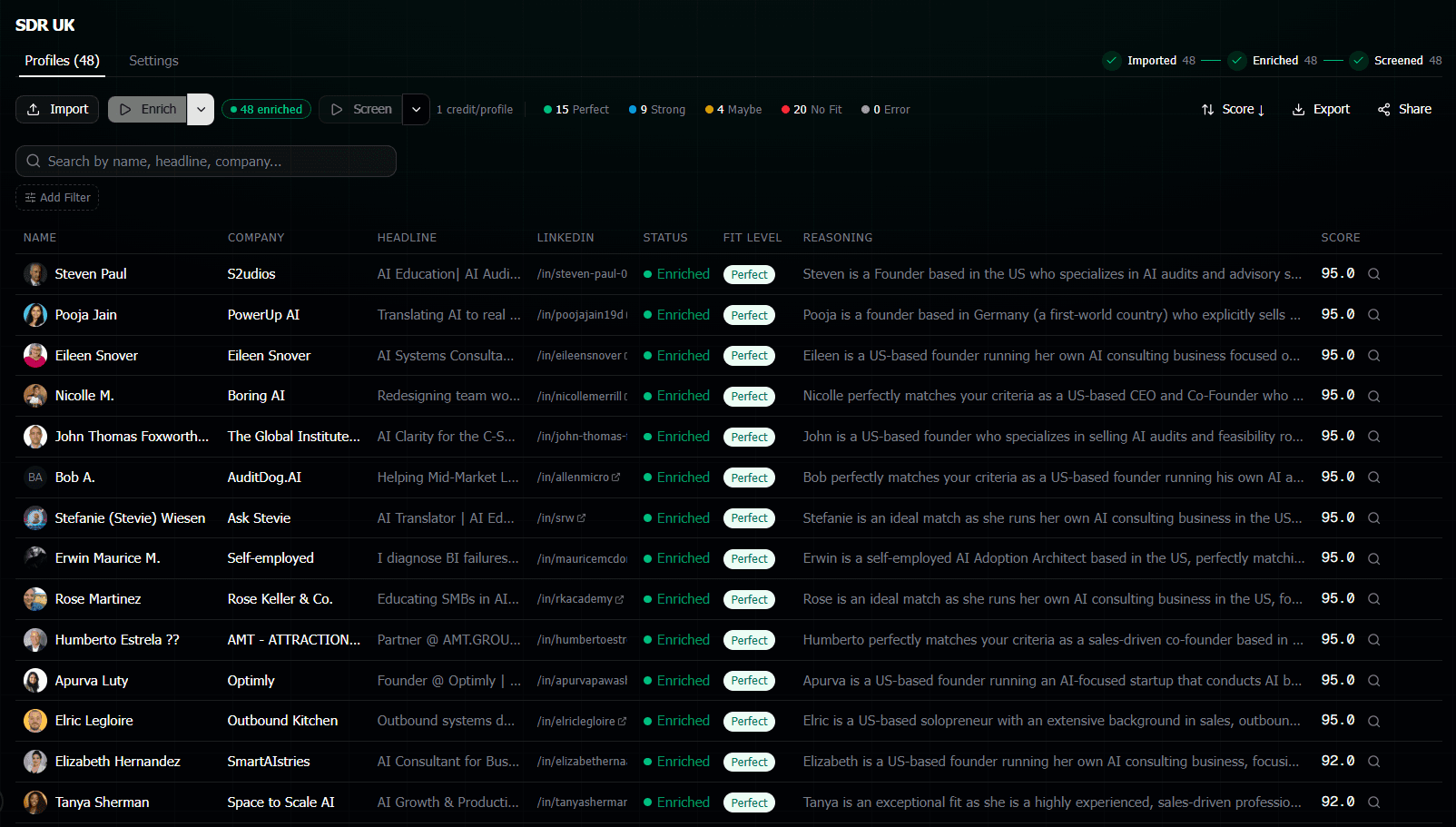
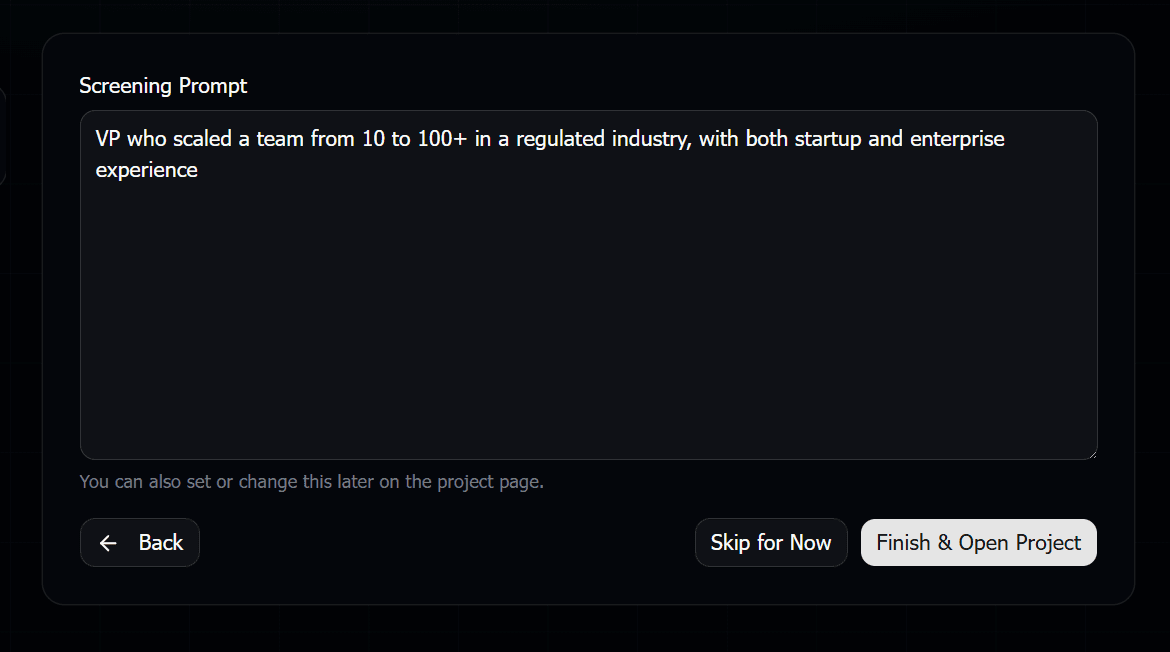
AI screening tools like Screener AI read every profile for you and score them 0-100 with detailed reasoning. You write what you're looking for in plain English, paste in your LinkedIn URLs, and get a ranked shortlist back in about 5 minutes. For 300 candidates, that costs roughly $17.
The verdict:LinkedIn Recruiter is terrible at this compared to dedicated screening tools. It hasn't meaningfully improved the evaluation workflow in years. This is the single biggest area where you can save time and money by going elsewhere.
5. Team Collaboration Features
What Recruiter gives you: Shared projects, team InMail pools, usage analytics, admin controls, hiring manager access, recruiter seat management.
Can you get it cheaper?Again, your ATS and your internal tools do most of this. Shared notes, collaboration on candidates, hiring manager feedback loops. It's all there already.
The one edge LinkedIn has: letting hiring managers browse candidates directly inside LinkedIn without needing their own full Recruiter seat. That's a nice feature for enterprise teams.
The verdict: Worth it for large enterprises with complex workflows. Overkill for small teams or agencies.
The Math: A Combo Approach vs Full Recruiter
Let's run actual numbers. Say you're a recruiter filling 5-8 roles at a time, screening about 300 candidates per month total.
Full LinkedIn Recruiter
$833-$1,250/month per seat. Gets you everything: full search, 150 InMails, pipeline, team features. One bill, one platform.
The Combo Stack
Recruiter Lite ($170/mo) for search + Screener AI (~$17 per 300 candidates) for screening + your existing ATS for pipeline. About $190/month total.
Annual Savings
Full Recruiter: $10K-$15K/year. Combo stack: ~$2,280/year. You save $7,700 to $12,700 per seat per year. That's real money.
Time Savings
Manual screening of 300 profiles: ~10 hours/month. With AI: ~15 minutes/month. That's 9.75 hours back per month for actual recruiting work.
And look, the combo approach has a tradeoff. You're juggling multiple tools instead of one platform. You get fewer InMails (30 vs 150). You don't get team pooling or enterprise analytics. But if those aren't things you actually use, why pay for them?
Who SHOULD Keep LinkedIn Recruiter (Corporate)
Be honest with yourself about this
If any of the following describe your situation, full LinkedIn Recruiter is probably worth the cost. Don't downgrade and then regret it.
Keep it if:
- You send 50+ InMails per month and they're a core part of how you engage candidates. The 30/month limit on Lite will hurt.
- You're an enterprise team of 10+ recruiters who need shared projects, pooled InMails, admin controls, and usage analytics across the team.
- You rely on LinkedIn's Spotlight features (open to work, recently active, likely to respond) to prioritize who you reach out to.
- Your hiring managers actively browse candidates in LinkedIn and you need to give them viewer access without full seats.
- You're in a heavily regulated industry where you need all candidate touchpoints tracked in one system for compliance.
These are all legitimate reasons. LinkedIn Recruiter is a great product for the right use case. The question is whether YOUR use case justifies the price.
Who Can Probably Downgrade
You probably don't need full Recruiter if:
- You spend most of your time in Recruiter doing searches and then manually reading through profiles to evaluate fit. The search can be done on Lite. The screening can be done 10x faster with AI.
- You're a solo recruiter paying $10K+ for features designed for teams of 10. You're subsidizing enterprise features you never touch.
- You're a staffing agency that needs speed on screening more than volume on InMails. Your candidates often come from job boards, referrals, or databases, not just LinkedIn search.
- You already have an ATS with good pipeline management. LinkedIn's project features are redundant with what you're already using.
- You send fewer than 30 InMails per month. Check your stats. A lot of recruiters think they send more than they actually do.
If 2-3 of those hit home, you could save $8K-$13K per year by switching to Recruiter Lite + a dedicated screening tool. And you probably won't even notice the difference day-to-day.
How the Combo Stack Actually Works
In case you're wondering what the workflow looks like if you downgrade, here's the practical version:
Source with Recruiter Lite
Run your search on LinkedIn. Save interesting profiles. Copy the URLs of candidates you want to evaluate further.
Screen with Screener AI
Paste those URLs in, write your criteria in plain English, hit go. Get a scored and ranked shortlist in 5 minutes.
Move to your ATS
Export your top candidates or share the shortlist directly with your hiring manager. Push to your existing ATS for pipeline tracking.
It's one extra step compared to doing everything in Recruiter. But that one step saves you 10 hours of manual screening per month. And $8K+ per year. Not a bad trade.
Frequently Asked Questions
Can I use Recruiter Lite and Screener AI together?
Yes, and this is actually the most common combo we see. You use Recruiter Lite for searching LinkedIn's database and getting profiles. Then you paste those profile URLs into Screener AI for fast evaluation and scoring. The two tools complement each other perfectly because they do completely different things.
Does Screener AI access my LinkedIn account?
No. Screener AI never logs into your LinkedIn account or uses your credentials. It pulls publicly available profile data through its own enrichment system. Your LinkedIn account is never at risk. You just give it the URLs and it handles the rest.
How much would I actually save per year switching to the combo approach?
If you're on full LinkedIn Recruiter at $10K-$15K/year, switching to Recruiter Lite ($2,040/year) plus Screener AI (roughly $200/year for moderate usage of ~300 candidates/month) puts you at about $2,240/year. That's a savings of $7,700 to $12,700 per seat. For a team of 5, that's $38K-$63K saved annually.
What do I lose by downgrading from full Recruiter to Lite?
The main things: InMail volume drops from 150 to 30 per month. You lose advanced filters like "years at current company" and "open to contract." Team features go away (shared projects, pooled InMails, admin analytics). And you lose Spotlight insights on who is likely to respond. Search results are the same database though.
Is Screener AI accurate? Can I trust AI to evaluate candidates?
Screener AI uses the same AI models (Claude) that can read and understand career context, not just match keywords. Every score comes with written reasoning explaining exactly why a candidate scored the way they did. You can read the reasoning and agree or disagree. Think of it as a very fast first-pass evaluator that gives you a ranked shortlist to review, not a black box that makes final decisions for you.