A few months ago, a 4-person recruiting team came to us with a question. They were paying $15K per seat per year for LinkedIn Recruiter Corporate. Four seats. $60K a year. And they wanted to know if they actually needed it.
So they did something smart. They tracked their actual usage for two weeks. Every feature they touched, how often, and how long they spent on it. Then they asked: can we get this for less?
Spoiler: they got 90% of the value for about $200/month per recruiter. Here's the exact setup they ended up with.
Quick disclaimer before we dive in
Screener AI is a candidate screening and scoring tool. It does NOT source candidates, does NOT search LinkedIn's database, and does NOT send InMails. It's one piece of the replacement stack, not the whole thing. You still need a way to find candidates. We'll be upfront about what you keep and what you lose throughout this post.
What They Were Actually Using LinkedIn Recruiter For
After two weeks of tracking, the team found their usage broke down into four buckets. And one of them was eating way more time than it should.
- Searching for candidates (daily). This was the core use case. Boolean searches, filter combos, saved searches. Every recruiter did this every day.
- Reading and screening profiles (hours per week). This was the biggest time sink by far. Each recruiter spent 6-8 hours a week just clicking through profiles, reading work history, trying to decide who was worth reaching out to. Brutal.
- Sending InMails (occasionally). They averaged about 15-20 InMails per recruiter per month. Not even close to the 150/month limit they were paying for.
- Pipeline tracking (rarely). They had an ATS for this. Greenhouse. The LinkedIn pipeline features were basically unused.
See the pattern? They were paying $15K/year mostly for search and screening. The InMails were nice but underused. The pipeline features were redundant. So the question became: can we get good search and faster screening for less?
The Replacement Stack
Here's exactly what they switched to. Four tools, each handling one part of the workflow.
LinkedIn Recruiter Lite for search
$170/month per seat. You keep access to LinkedIn's database. You lose some advanced filters and drop from 150 to 30 InMails per month. But 30 was more than this team was using anyway. For most recruiters doing standard searches, Lite covers it.
Screener AI for evaluating candidates
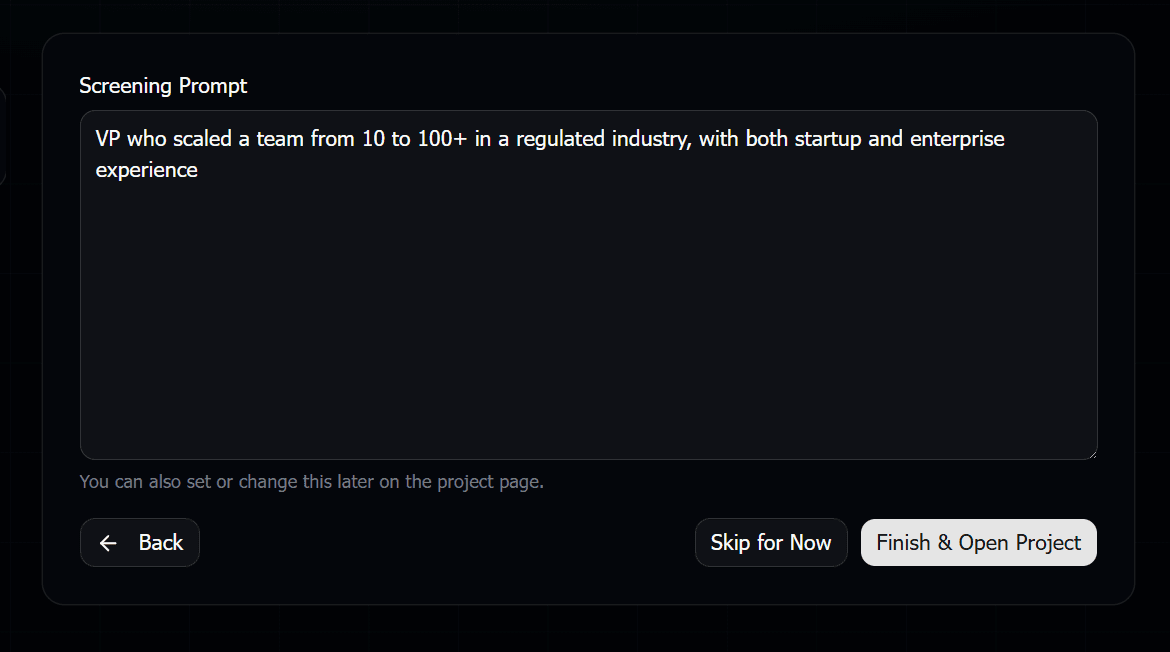
Pay-per-use. About $17-29 per screening run of 200 candidates. Instead of spending 4 hours reading profiles one by one, you write what you want in plain English and get a scored shortlist with reasoning in about 5 minutes.
Existing ATS for pipeline tracking
They already had Greenhouse. If you don't have an ATS, even a free tool like a Trello board or Notion database works. No need to pay LinkedIn for pipeline features.
LinkedIn messaging + email for outreach
You still get 30 InMails with Recruiter Lite. For the rest, regular LinkedIn connection requests and email work fine. Most candidates respond to a good message regardless of whether it's an InMail.
The Part That Saved the Most Time
Search wasn't actually the problem. Recruiter Lite handles search fine for most use cases. The real problem was what happened after the search.
Before the switch, each recruiter was spending 6-8 hours a week just reading profiles. Open a profile, scroll through work history, read the summary, check the skills, decide if it's a fit, move to the next one. Repeat 200 times.
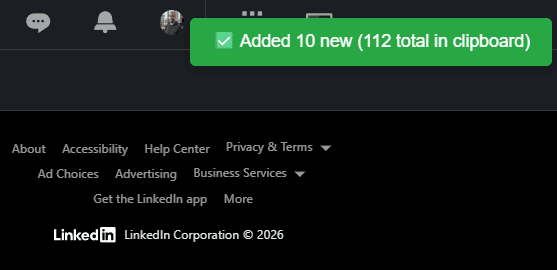
After the switch, that workflow looks like this: run a search in Recruiter Lite, grab the URLs, paste them into Screener AI, write what you're looking for, and get a scored list back in 5 minutes. Then you just review the top 20-30 candidates and read the AI's reasoning for each one.
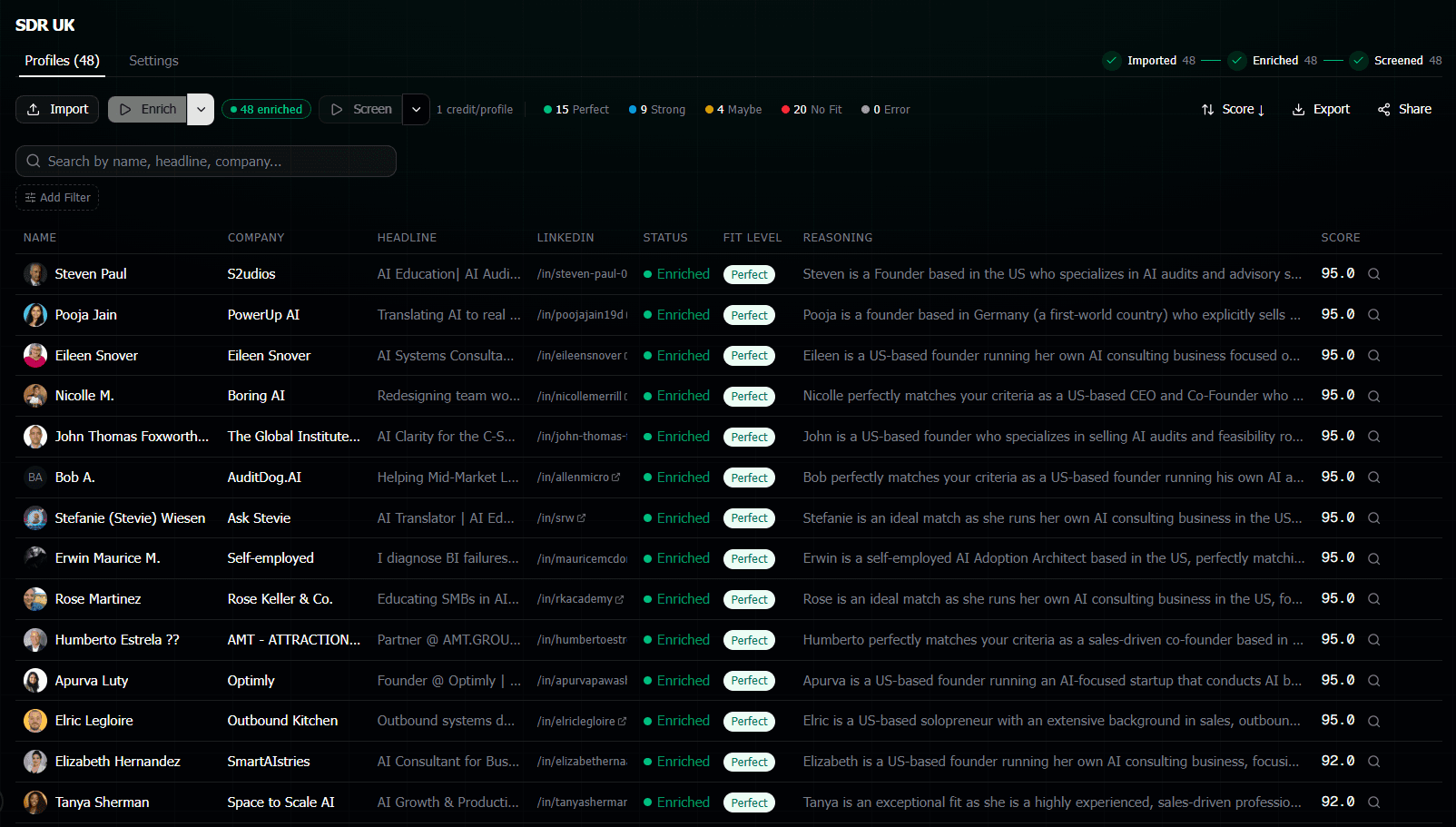
That 6-8 hours per week? Dropped to about 45 minutes. Not because they're skipping profiles. Because AI read them all and told them which ones to focus on and why.
The Honest Math
Cost breakdown per recruiter per year
Before: LinkedIn Recruiter Corporate = $1,250/month ($15,000/year).
After: Recruiter Lite $170/month + Screener AI ~$30-50/month average usage = ~$200-220/month ($2,400-2,640/year).
Savings:~$12,360-12,600 per seat per year. For a 4-person team, that's roughly $50K/year back in the budget.
The Screener AI costs vary depending on how many profiles you screen. This team runs about 3-4 screening batches per month of 150-250 candidates each. At the Pro pack pricing (3,000 credits for $49), that works out to about $30-50/month per recruiter. Some months more, some months less. But the pay-per-use model means you're not paying when things are slow.
And there's no annual contract on either tool. Recruiter Lite is month-to-month. Screener AI credits don't expire. So if a recruiter leaves or hiring freezes, you stop paying immediately instead of being locked into a $15K seat.
What You Lose (The Honest Part)
This wouldn't be a useful guide if we pretended there were no tradeoffs. Here's what you give up when you downgrade from Recruiter Corporate to this stack.
- Fewer InMails. 30 per month instead of 150. If your team sends a lot of InMails, this is a real limitation. But most recruiters we talk to use way fewer than 150.
- Some advanced search filters.Recruiter Corporate has filters that Lite doesn't. Things like "years at current company" and "company size." For niche roles, this can matter.
- LinkedIn's built-in pipeline features.The project folders, tags, and stages within LinkedIn. If you rely on these and don't have an external ATS, you'll miss them.
- Team collaboration within LinkedIn.Shared projects, seat-based access, seeing who on your team contacted a candidate. Recruiter Corporate has this. Lite doesn't.
- LinkedIn's analytics and reporting. Usage stats, InMail response rates, search insights. You lose these dashboards.
For this particular team, none of those were dealbreakers. They used fewer than 30 InMails, had Greenhouse for pipeline tracking, and didn't use LinkedIn's analytics. But your team might be different. Be honest about what you actually use before making the switch.
What You Gain
It's not just about what you save. The replacement stack actually does some things better than Recruiter Corporate.
- AI-powered screening.LinkedIn Recruiter has no equivalent. You can't tell it "find me people who've shown career progression at fast-growing startups." Screener AI can evaluate that.
- Written reasoning for every candidate.Not just a match score. Actual sentences explaining why someone fits or doesn't. This helps you make faster decisions and explain them to hiring managers.
- $12K back per seat per year.That's real money. For a 4-person team, it's $50K that can go to job boards, employer branding, or just the bottom line.
- Anonymous sharing for client presentations.If you're an agency, you can share scored candidate lists with clients where names and companies are scrubbed. Built right into Screener AI.
- No annual contract.Both Recruiter Lite and Screener AI are flexible. Scale up during busy months, scale down during slow ones. No more paying for seats nobody's using in December.
Who Should NOT Do This
Real talk. This setup isn't for everyone.
If your team sends 100+ InMails per month per recruiter, you need Recruiter Corporate. 30 InMails won't cut it.
If you rely heavily on LinkedIn's advanced boolean operators and filters that are only available on the full version, Lite might feel too limited for your sourcing needs.
If team collaboration within LinkedIn is critical to your workflow (like seeing which teammates already contacted a candidate), you'll miss that.
But if you're like most recruiting teams we talk to, you're paying for 150 InMails and using 20, ignoring the pipeline features because you have an ATS, and spending most of your Recruiter time on search and manual profile reading. That's the sweet spot for this switch.
How to Test This Without Committing
You don't have to cancel Recruiter Corporate tomorrow. Here's what we'd suggest.
Pick one recruiter on your team. Have them track their actual Recruiter usage for two weeks, just like the team in this post did. How many InMails? Which filters? How many hours reading profiles?
Then have them try the replacement stack for one hiring project. Recruiter Lite for search, Screener AI for evaluation (there are 50 free credits when you sign up). See how it feels. Compare the results.
If it works, roll it out to more recruiters. If not, you're only out two weeks and zero dollars.
Frequently Asked Questions
Can I really get by with just 30 InMails per month?
Depends on your outreach strategy. Most recruiters we talk to send fewer than 30 InMails per month when they actually count. Connection requests with a note, direct emails, and referrals handle a lot of the outreach. Track your actual InMail usage before deciding. You might be surprised how low it is.
What if Screener AI scores someone wrong?
Every score comes with written reasoning. So if the AI gave someone a 45 and you think they're great, you can read exactly why it scored them low and decide for yourself. The AI doesn't make hiring decisions. It reads profiles faster than you can and gives you its take. You're still the one calling the shots.
Does this setup work for agency recruiters?
Actually, it works even better for agencies. Screener AI has an anonymous sharing mode that scrubs candidate names and company names from results. So you can send a scored shortlist to your client without them going around you to contact candidates directly. That feature alone is worth it for a lot of agencies.
What about LinkedIn Sales Navigator instead of Recruiter Lite?
Sales Navigator costs about $100/month and has similar search capabilities. Some recruiters prefer it. The main difference is you get zero InMails with Navigator (unless you pay extra). If you do all your outreach via email and connection requests anyway, Navigator could save you another $70/month. But most recruiters want at least some InMails.
Is it safe to use these tools with my LinkedIn account?
Screener AI never logs into your LinkedIn account. It pulls public profile data through a separate API. There's zero risk to your LinkedIn profile. You search on LinkedIn yourself, grab the URLs, and paste them into Screener AI. LinkedIn doesn't even know you're using it.