Let me paint a picture you probably know too well.
You just got a new role to fill. You've got a list of 200, maybe 300 LinkedIn profiles sitting in a spreadsheet. Maybe you pulled them from a search, maybe a sourcer handed them to you, maybe a client dumped them on your desk and said "find me the good ones."
Now you gotta go through them. One by one. Click, read, scroll, think, decide, next. Over and over. For hours.
The math is brutal
At 2 minutes per profile, 300 profiles = 10 hours. A full day and a half. Just to get a shortlist. And by profile 100, you're not even applying the same criteria anymore. You're tired, skimming, and everyone starts blending together.
What if I told you there's a way to screen all 300 of those profiles in about 5 minutes? Not some quick keyword filter. An actual evaluation of each person, with a score and written reasoning for why they're a good or bad fit.
What If You Could Just Tell AI What You Want?
Here's the idea. Instead of you manually reading every profile and making a judgment call, you describe what you're looking for in plain English. Like you'd describe it to a colleague. And the AI reads every single profile for you.
Not keyword matching. Actually reading the profile, understanding the career trajectory, evaluating the skills, and deciding if this person fits what you described.
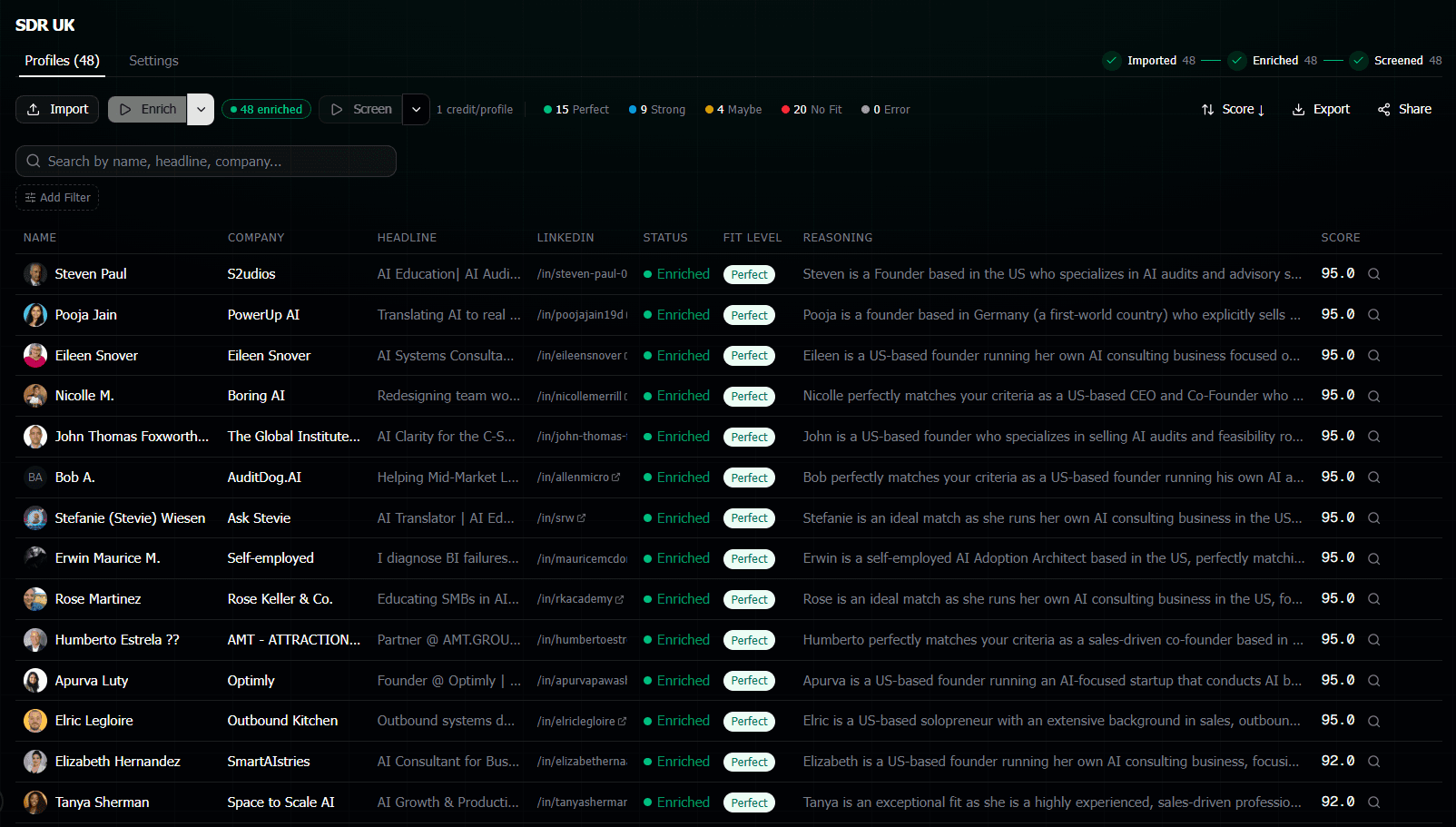
Then it gives you a score from 0 to 100 and writes out exactly why it scored them that way. So you can read the reasoning and decide if you agree, instead of reading the whole profile yourself.
Think of it like having a really fast junior recruiter who reads every profile, takes notes, and gives you a stack-ranked list with their thoughts. Except they do 300 profiles in 5 minutes instead of 5 days.
Here's How It Works (4 Steps)
Collect your URLs
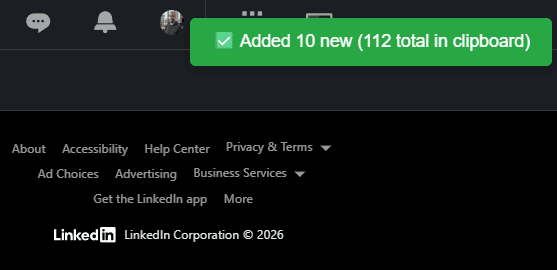
Paste LinkedIn URLs, upload a CSV, or use the browser extension to grab profiles from any LinkedIn page.
Data gets pulled live
The tool goes to each LinkedIn profile and pulls current data: work history, education, skills, the whole thing. About 1 min for 300 profiles.
Write what you want
Describe your ideal candidate in plain English. Any criteria, any nuance. No Boolean, no checkboxes.
Get scored results
Every candidate gets a 0-100 score, a fit level, and written reasoning. Ready in about 2 minutes.
The Screening Prompt Is Where It Gets Fun
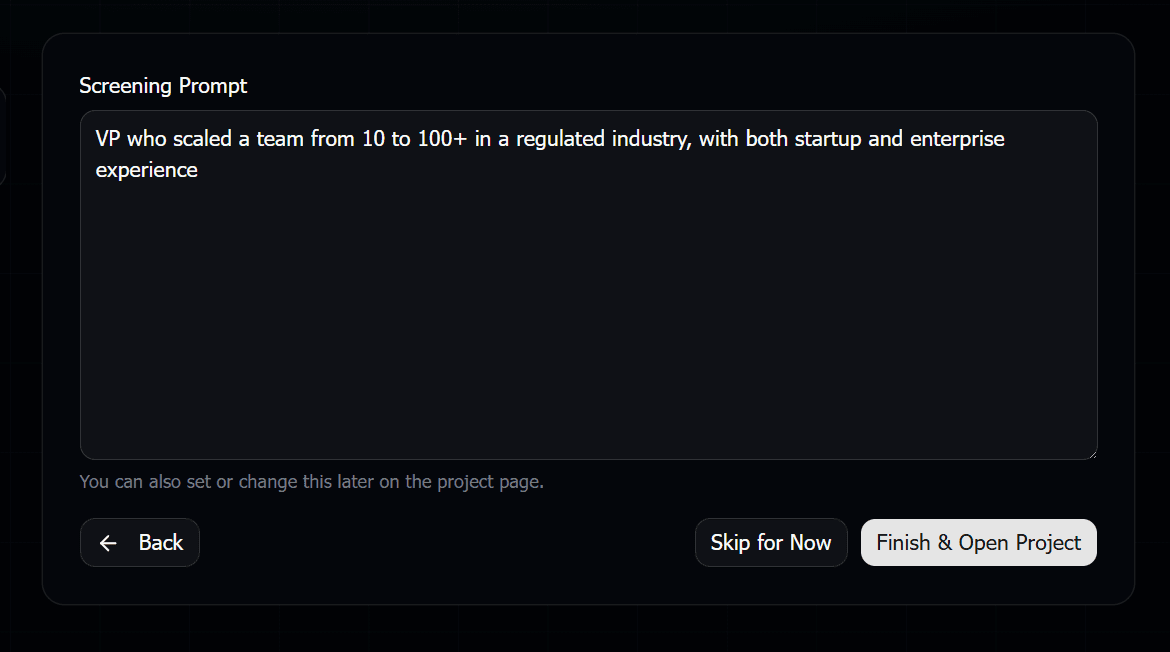
This is the part that's actually different from any other tool. You write your screening criteria like you'd text it to someone. Something like:
I'm looking for senior backend engineers with at least 5 years of experience. Strong preference for people who've worked at fast-growing startups, especially in fintech or payments. Python or Go is a must. Bonus points for distributed systems. I want ICs who are still hands-on, not managers who haven't coded in years.
See how natural that is? You're not translating requirements into search filters. You just say what you want. The AI figures out how to evaluate each profile against that.
You can also express things that are impossible with filters. Like "people who've shown career progression" or "avoid job hoppers who stayed less than a year everywhere" or "bonus if they've worked at a company that went through an IPO."
What You Get Back
For each of your 300 candidates, you get:
- A score from 0 to 100 showing how well they match
- A fit level: Perfect Fit, Strong Fit, Maybe, or No Fit
- Written reasoning explaining exactly why
So you don't just get a number. You get reasoning like "Strong backend experience at two fintech companies, 7 years with Python, currently senior engineer at a Series B startup. Only concern is limited Go experience."
Now instead of reading 300 full profiles, you're skimming 20-30 short reasoning blurbs for the top candidates. You can instantly see who's worth reaching out to.
But Is It Actually Accurate?
Fair question. Nobody wants to miss great candidates because an AI made a bad call.
Here's the thing though. The AI isn't making hiring decisions. You are. It's giving you a first pass that's way more thorough than what most recruiters can do at scale.
Every score comes with written reasoning. If you disagree with a score, you read the reasoning and make your own call. Takes 10 seconds instead of 3 minutes because the AI already did the reading for you.
The real comparison
It's not "AI vs perfect human judgment." It's "AI vs you on hour 6 of profile #247 when you're barely reading anymore."
Why This Beats Boolean Search and Filters
If you've used LinkedIn Recruiter or any ATS, you know the drill. Boolean strings, keyword filters, years-of-experience dropdowns. It works but it's rough. Tons of false positives. And you miss people who don't match the exact filter but are actually great.
AI screening is different because it understands context. It reads the actual career story.
Someone who was a "Software Development Engineer" at Amazon for 3 years then "Staff Engineer" at a payments startup? Boolean might miss them if you searched "senior backend engineer." AI screening gets that they're exactly what you're looking for.
Sharing Results with Clients
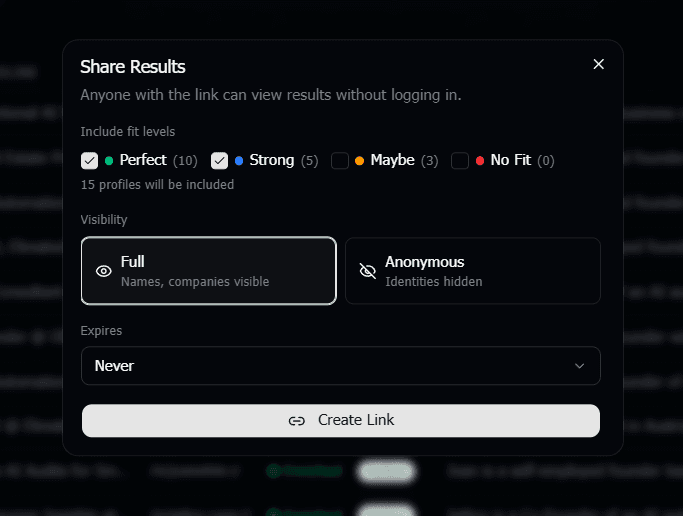
If you work at a staffing agency, this is going to hit different. You can create a shareable link of your screened results and send it to your client. There's an anonymous mode that automatically scrubs all candidate names and company names from the results.
So your client sees the scores, the reasoning, the fit levels, but can't go around you and contact the candidates directly. Blind candidate presentations, built right in.
What Does It Cost?
Pay as you go. No subscription, no monthly fee. You buy credits and use them when you need them. 1 credit to pull a profile's data, 1 credit to screen it.
So screening 300 profiles costs about 600 credits (300 to enrich + 300 to screen). On the Starter pack that's roughly $17. Compare that to 10+ hours of your time.
There's also 50 free credits when you sign up so you can try it on about 25 profiles before spending anything.
Frequently Asked Questions
Does this use my LinkedIn account?
No. It never logs into your LinkedIn account. Zero risk to your profile. The data is pulled through a separate API that reads public profile information.
How long does it actually take for 300 profiles?
Enrichment (pulling data) takes about 1-2 minutes. AI screening takes another 2-3 minutes. Total, roughly 5 minutes from start to scored shortlist.
Can I re-screen the same candidates with different criteria?
Yes. Once the profile data is pulled, you can screen the same candidates with completely different criteria without re-enriching. New role, new prompt, run it again. Only costs screening credits.
What if the AI gets it wrong?
Every score comes with written reasoning. You read exactly why the AI scored someone that way and override it if you disagree. It helps you go faster, it doesn't replace your judgment.
How is this different from LinkedIn Recruiter?
LinkedIn Recruiter helps you find candidates. This helps you evaluate them. Use both together: find candidates with Recruiter, then screen them all with AI instead of reading each profile manually.
Is this GDPR compliant?
The tool processes publicly available LinkedIn data that you specifically submit. We don't scrape LinkedIn at scale or harvest profiles without your instruction. Check our privacy policy for full details.