LinkedIn Recruiter costs around $10K-$15K per year. Per seat. And if you're a solo recruiter, a small agency, or a startup founder doing your own hiring, that's just not happening.
But you still have candidates to evaluate. You still have LinkedIn profiles to go through. And you still need to figure out who's worth talking to and who isn't.
So here's the thing most people don't realize: you don't need LinkedIn Recruiter to screen candidates. You need it to findthem. Screening is a totally separate problem. And there's a much cheaper way to solve it.
What You Actually Need to Screen Candidates
Just LinkedIn profile URLs. That's literally it. You don't need a Recruiter license to get those URLs. You can get them from a bunch of places:
- Regular LinkedIn searchon a free account. It's limited, but it works. You can still find people and grab their profile links.
- LinkedIn Sales Navigator at $99/mo. Way cheaper than Recruiter and the search filters are honestly great for sourcing.
- A sourcer or colleague who sends you a list of profiles. Common setup at agencies.
- Job applicants who include their LinkedIn URL on their resume. You already have these.
- CSV exports from other tools like Apollo, Hireflow, or whatever sourcing tool you use.
Once you have the URLs, the expensive part is done. Now you just need something to evaluate those profiles against your criteria. Fast.
The key insight
Sourcing and screening are two separate problems. LinkedIn Recruiter bundles them together for $15K. But you can solve each one independently for way less. Use a $99/mo tool to source. Use an AI screener to evaluate. Total cost: a fraction of what Recruiter charges.
The Workflow: From URLs to a Scored Shortlist
Here's the actual step-by-step. This uses Screener AI but the concept applies to any AI screening tool.
Collect LinkedIn URLs
Get your candidate profile URLs however works for you. Free LinkedIn search, Sales Navigator, applicant resumes, a CSV from a colleague. Doesn't matter where they come from.
Import into Screener AI
Paste the URLs directly, upload a CSV file, or use the browser extension to grab them from a LinkedIn search page. The tool pulls live profile data automatically.
Write your screening criteria
Describe what you're looking for in plain English. "5+ years backend, strong with Python, bonus for fintech experience." Be as specific or as general as you want.
Get your scored shortlist
The AI reads every profile, scores them 0-100, and writes out its reasoning. You get a ranked list in minutes. Review the top candidates and you're done.
That's the whole thing. No Recruiter license. No $15K annual commitment. No 30-minute demo with a LinkedIn sales rep.
Step by Step with Screenshots
Importing your profiles
First, get your LinkedIn URLs into the tool. If you've got a spreadsheet, just upload the CSV. If you've got URLs copied somewhere, paste them in. The browser extension lets you grab profiles straight from a LinkedIn search results page.
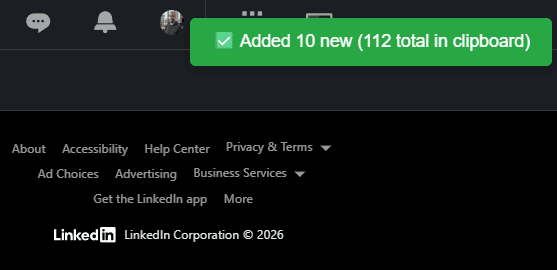
The tool enriches each profile in the background. It pulls work history, education, skills, the whole thing. For 200 profiles this takes a couple of minutes. You can move on to writing your criteria while it runs.
Writing your screening criteria
This is the part that replaces hours of manual profile reading. Instead of opening 200 tabs and eyeballing each one, you write down what matters for this role.
And you write it like you'd explain it to a smart colleague. Not boolean strings. Not keyword lists. Just normal English.
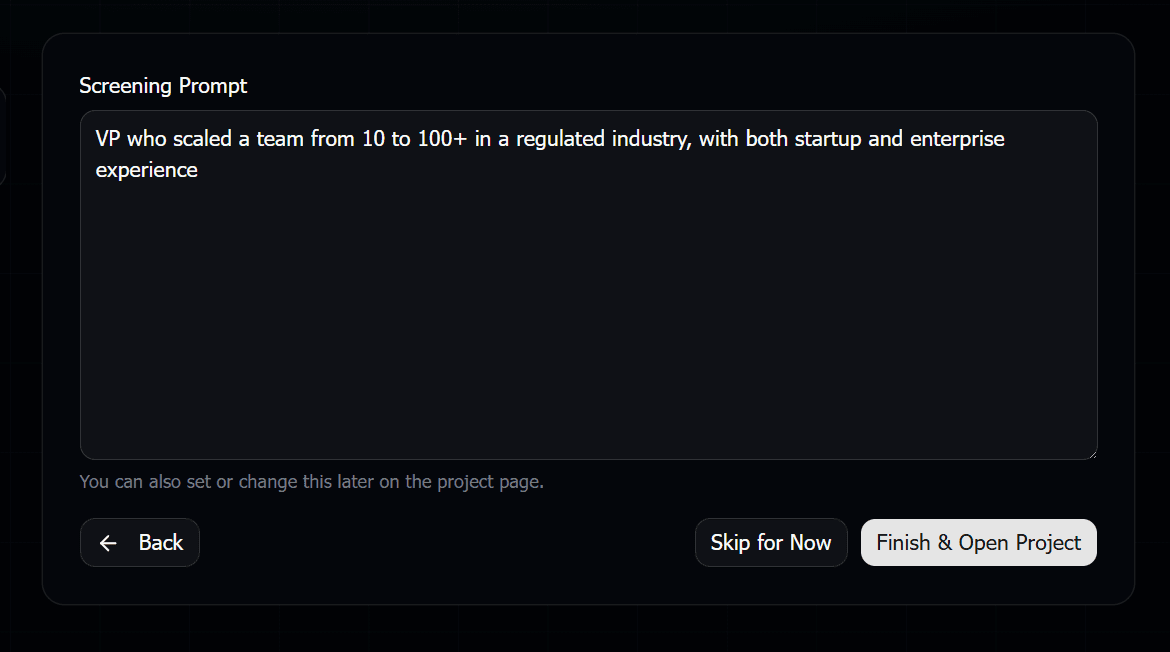
A good prompt looks like: "Senior product designer, 6+ years. Must have B2B SaaS experience. Strong preference for someone who's worked at a startup that scaled past Series B. Red flag if their portfolio is all agency work with no product depth."
The more specific you are, the better the results. But even a simple prompt like "experienced React developer, ideally with fintech background" gets you surprisingly far.
Reviewing your results
After a few minutes, you get a scored shortlist. Every candidate has a score from 0-100, a fit level, and written reasoning explaining why they got that score.
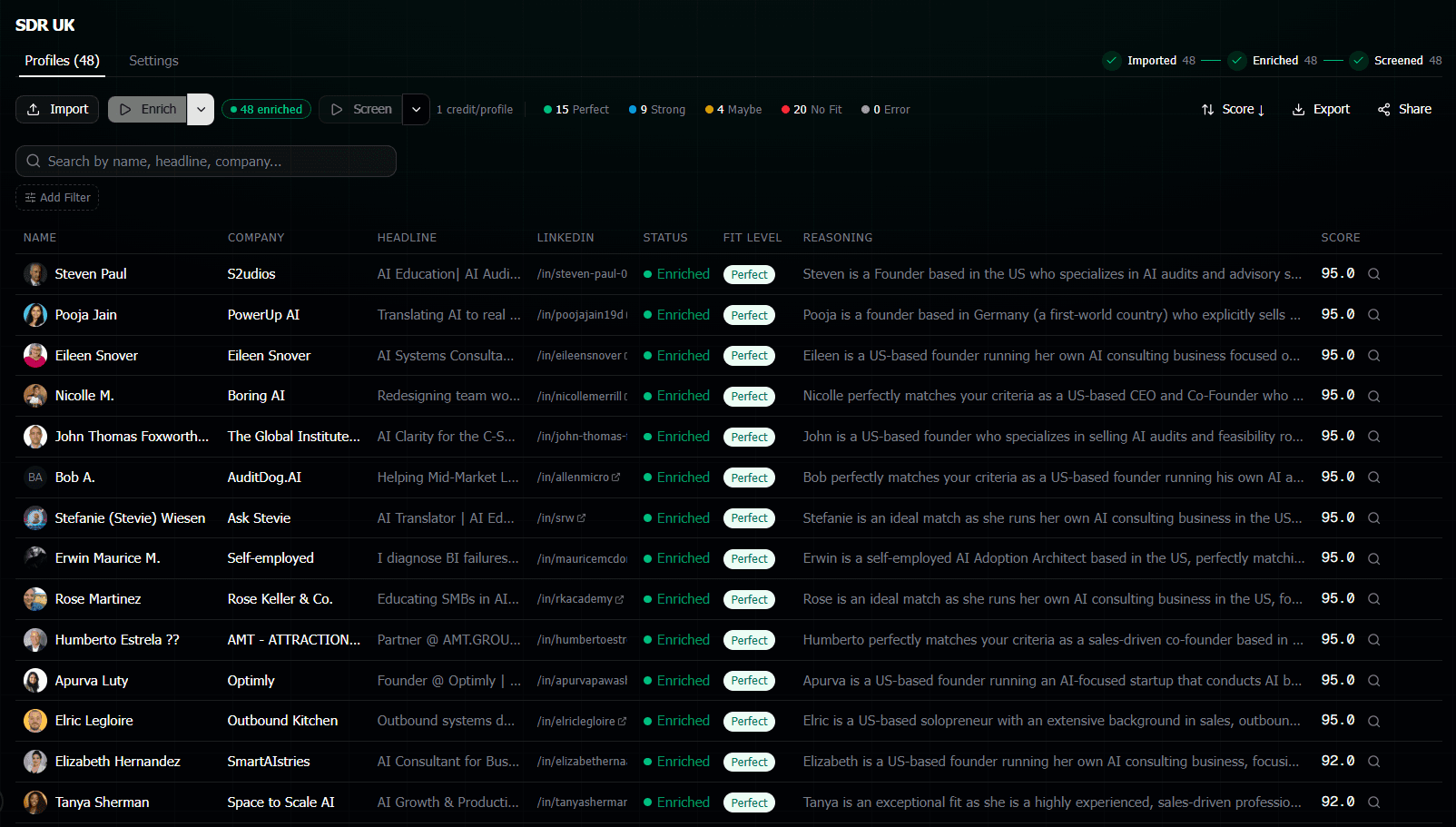
You don't read 200 profiles. You read the reasoning for the top 20-30. The AI already did the reading. You're just checking its work and making final calls.
Exporting and sharing
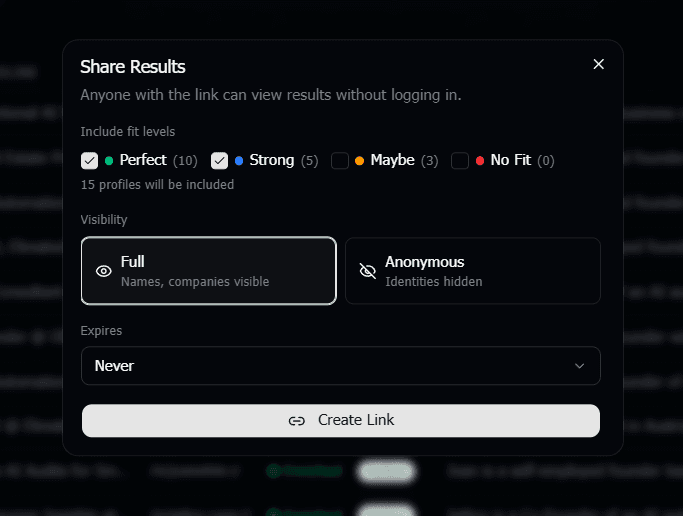
Once you've got your shortlist, export it to CSV for your ATS, share a link with your hiring manager, or send an anonymous version to a client.
Where to Find Candidates Without Recruiter
OK so screening is solved. But what about finding candidates in the first place? Here are your realistic options, ranked by cost:
- Free LinkedIn search.Limited to about 100 results per search and the filters aren't great. But for simple roles in your local area, it works fine. Cost: $0.
- LinkedIn Sales Navigator.$99/mo and honestly underrated for recruiting. The search filters are powerful. Boolean search works. You can save leads and build lists. It's not Recruiter, but it gets you 80% of the way there for sourcing.
- Job boards.Post the role and let candidates come to you. Most applicants include their LinkedIn URL on their resume. Now you've got URLs to screen. Cost: varies.
- Referrals. Ask your network. Ask your existing team. Get LinkedIn URLs from the people they recommend. Cost: $0.
- Other sourcing tools. Apollo, Hireflow, PhantomBuster. These tools help you find people and export their LinkedIn URLs. Some have free tiers. Mix and match based on your budget.
The point is: you have options. Recruiter is one way to find candidates. It's not the only way. And once you have the URLs, the finding part is done.
What Screener AI Does NOT Do
Let's be honest about this. Screener AI is a screening tool, not a sourcing tool. Here's what it doesn't do:
- It doesn't find candidates for you. You need to bring the URLs.
- It doesn't send InMails or messages. It's not an outreach tool.
- It doesn't log into your LinkedIn account. It doesn't need your LinkedIn credentials.
- It doesn't replace LinkedIn Recruiter entirely. Recruiter does sourcing, messaging, and screening all in one. Screener AI only does the screening part.
But here's why that's actually fine: the screening part is the most time-consuming part. It's the bottleneck. A recruiter can source 200 profiles in an hour. Screening those 200 profiles manually takes the rest of the day.
So you solve the expensive problem (screening) with AI. And you solve the sourcing problem with whatever tool fits your budget.
The Math: What This Actually Costs
Let's compare the real numbers:
- LinkedIn Recruiter: $10K-$15K/year. Does sourcing, screening, and messaging.
- Sales Navigator + Screener AI:$99/mo for Sales Nav plus credits for screening. That's roughly $1,200-$1,500/year depending on how much you screen. Does sourcing (via Sales Nav) and screening (via AI). You handle messaging yourself.
- Free LinkedIn + Screener AI: Just the screening credits. Under $500/year for most solo recruiters. Limited sourcing but solid screening.
Like, the gap is massive. And for most recruiters, especially agency recruiters who already have their own sourcing methods, the only thing they were missing was a fast way to screen. That's the piece Screener AI fills.
Frequently Asked Questions
Do I need any LinkedIn subscription at all to use Screener AI?
No. You just need LinkedIn profile URLs. How you get those URLs is up to you. A free LinkedIn account, Sales Navigator, job applicants, referrals, other tools. Screener AI doesn't care where the URLs come from.
Can I screen candidates from other platforms, not just LinkedIn?
Right now Screener AI works with LinkedIn profiles. Most professional candidates have a LinkedIn presence in 2026, so this covers the vast majority of use cases. If your candidates don't have LinkedIn profiles, this tool won't help with those specific people.
How is this different from just reading profiles manually?
Speed and consistency. You can read maybe 30-40 profiles per hour before your eyes glaze over. The AI reads 200 profiles in about 5 minutes and applies the same criteria to every single one. No fatigue, no bias from whatever you had for lunch. Plus you get written reasoning for each decision, which you can share with hiring managers.
Is the AI screening actually accurate?
It's not magic. It reads what's on the LinkedIn profile and evaluates it against your criteria. If a profile has good detail, the AI does a great job. If a profile is thin (barely filled out), the AI will flag that it didn't have much to work with. The key is that it gives you reasoning you can read and agree or disagree with. It's a first pass, not a final verdict.
What if I already have LinkedIn Recruiter?
Then you're probably not the target audience for this post. But some Recruiter users still use Screener AI for the batch screening and scoring. Recruiter lets you search and view profiles, but it doesn't score and rank 200 candidates against custom criteria in 5 minutes. Different tools for different parts of the workflow.