If you work at a staffing agency, you know the nightmare scenario.
You spend hours sourcing and screening candidates. You put together a beautiful shortlist. You send it to your client. And then your client takes those names, finds them on LinkedIn, and reaches out directly. Cutting you out completely.
It happens all the time. And it's infuriating.
The ugly truth
Every recruiter at a staffing agency has a story about a client who went around them. You do the work, they get the hire, you get nothing. Blind candidate presentations exist specifically to prevent this.
Why You Should Never Send Full Names Upfront
Look, most clients are honest. But "most" isn't "all." And even with the best intentions, once a hiring manager sees a name and a company, the temptation to do a quick LinkedIn search is real. It takes 5 seconds.
Smart agencies have always done blind presentations. You share the candidate's experience, skills, and qualifications, but you hold back the name and current employer until the client confirms interest. That's just good business.
The problem? Doing this manually is a pain. You end up redacting PDFs, creating custom documents, or sending vague bullet points that don't tell the full story. It's time-consuming and looks unprofessional.
How Anonymous Sharing Actually Works
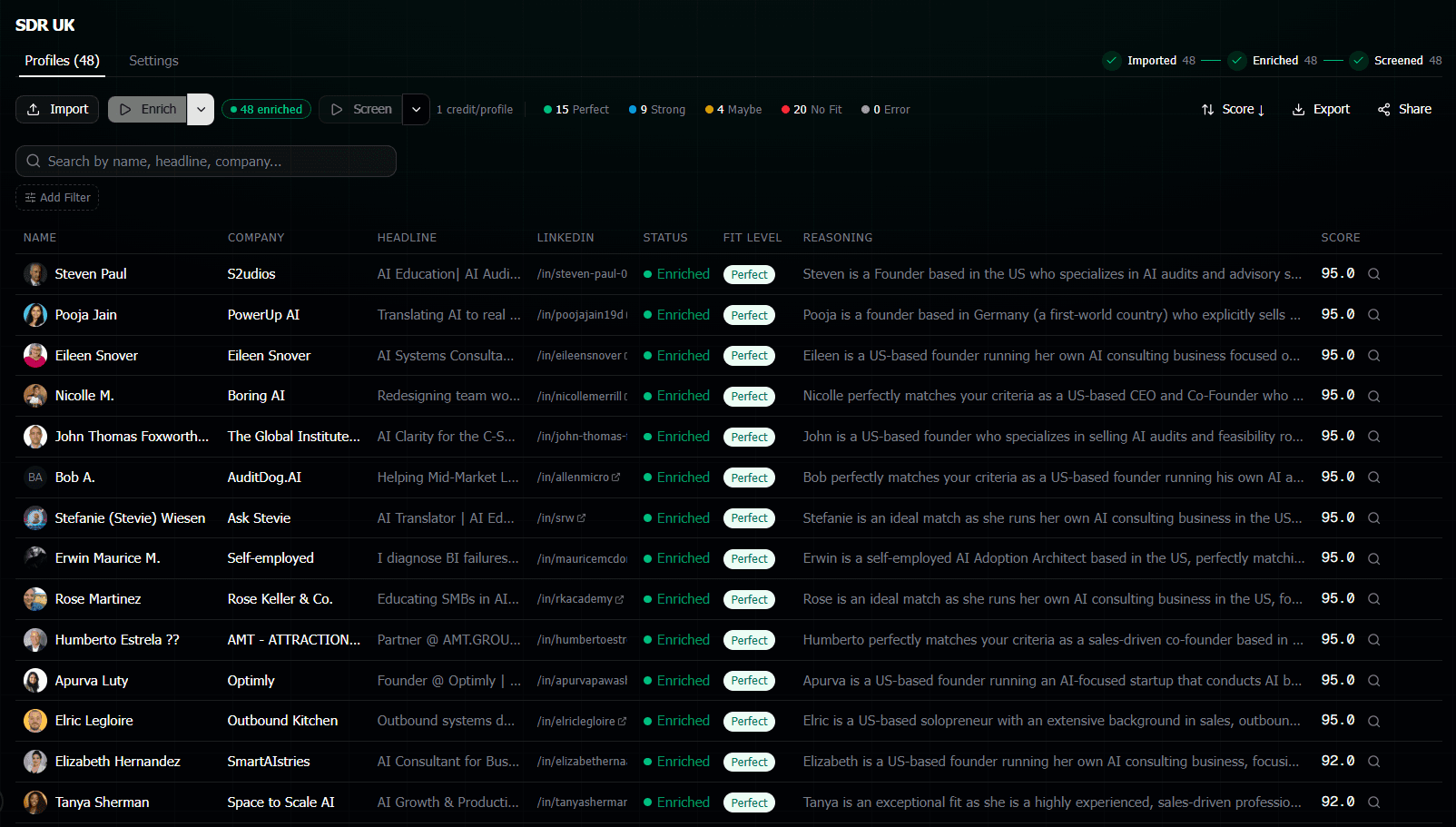
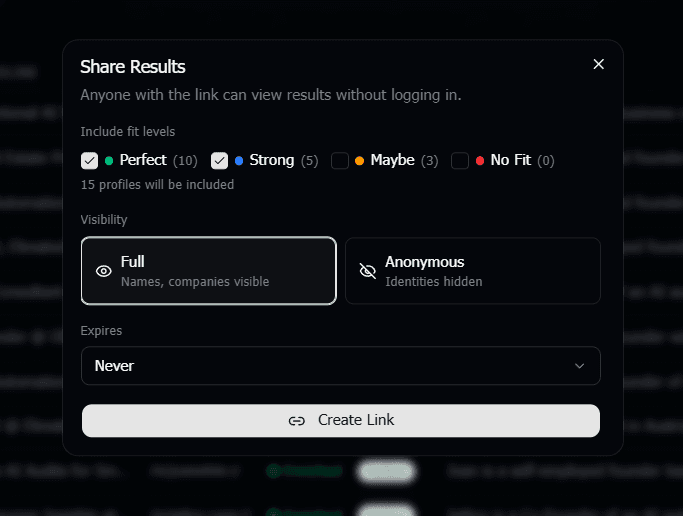
Here's what we built into Screener AI. When you screen a batch of candidates and get your scored shortlist, you can generate a shareable link. But here's the key part: you choose between two modes.
Full mode
Everything visible. Names, companies, scores, reasoning. Use this for internal sharing or when you trust the client completely.
Anonymous mode
Names and company names are automatically scrubbed from the reasoning text. Client sees scores, fit levels, and detailed reasoning, but can't identify who the candidate is.
The anonymous mode doesn't just hide the name at the top. It goes through the entire AI-generated reasoning and removes any identifying information. So if the reasoning says "worked at Stripe for 4 years," in anonymous mode it gets scrubbed. The client still sees the qualitative assessment without the ability to pinpoint the person.
What Your Client Actually Sees
When a client opens your anonymous share link, they get a clean, professional page showing each candidate with:
- A score from 0 to 100 showing how well they match the role
- A fit level (Perfect Fit, Strong Fit, Maybe, No Fit)
- Detailed reasoningexplaining the AI's evaluation, with names and companies removed
So your client can make informed decisions about which candidates to interview. They see the substance of each person's background without the identifying details that would let them go direct.
It looks professional. Way more professional than a redacted PDF or a vague email saying "I have 5 strong candidates for you."
When to Use Each Mode
Not every situation calls for anonymous sharing. Here's how I'd think about it.
Use anonymous mode when:
New clients you haven't built trust with yet. Contingency searches where you only get paid on placement. Any time you're presenting candidates before a signed agreement is fully in place. Or honestly, any time your gut tells you to protect yourself.
Use full mode when:You're working with a long-term retained client. Internal team sharing. When you've already agreed on which candidates move forward and need to share the full details for scheduling.
The beauty is you can generate both links for the same shortlist. Send the anonymous one first. Once the client confirms interest and you've got your agreement locked in, send the full version.
The Workflow That Actually Protects You
Here's the play-by-play of how agencies are using this.
Source candidates
Pull LinkedIn URLs from your search, an ATS, or any other source. Paste them into Screener AI.
Screen with AI
Write what the client is looking for in plain English. The AI scores and evaluates every candidate.
Share anonymously
Send the anonymous link to your client. They see quality and fit without identifying details.
Reveal on agreement
Once the client wants to proceed and your terms are set, share the full version with names and companies.
The whole thing from sourcing to anonymous shortlist takes maybe 10 minutes. Compare that to the hours of manual screening and document redaction most agencies deal with.
It's Not Just About Protection
Yeah, the main reason agencies use blind presentations is to prevent clients from going direct. But there are other benefits too.
It reduces bias. When a client sees just the qualifications and the AI's assessment without a name, they're evaluating on merit. No unconscious bias from names, no assumptions based on current employers.
It also makes you look more professional. Sending a scored, analyzed shortlist with detailed reasoning for each candidate? That's a level of presentation most agencies don't reach. It shows the client you've done serious work, not just thrown resumes at them.
Frequently Asked Questions
Can the client figure out who the candidates are from the anonymous reasoning?
The anonymous mode scrubs names and company names from the reasoning text. While very unique career details could theoretically narrow things down, in practice the scrubbing removes the easy identifiers that would let someone do a quick LinkedIn search. It's designed to prevent casual identification, not to withstand a determined investigation.
Can I switch between anonymous and full mode after sharing?
Yes. You can generate separate links for each mode from the same screened shortlist. Send the anonymous link first, then share the full link when you're ready to reveal identities.
Does the client need an account to view the shared shortlist?
No. The share link opens a public page that anyone can view. No login, no sign-up. Your client just clicks and sees the results.
How many candidates can I include in a shared shortlist?
There's no limit. You can share your entire screened batch or just the top candidates. Most agencies share the top 10-20 from a larger screened pool, but it's up to you.
Is there a way to track if the client viewed the shortlist?
Currently the share links are simple public pages. We're working on adding view tracking so you can see when and how often your client looks at the shortlist. Stay tuned.